Cursive Text Generator Copy & Paste
Simply type your text, pick a fancy cursive style, and copy & paste it anywhere.
Cursive Text Generator Copy and Paste
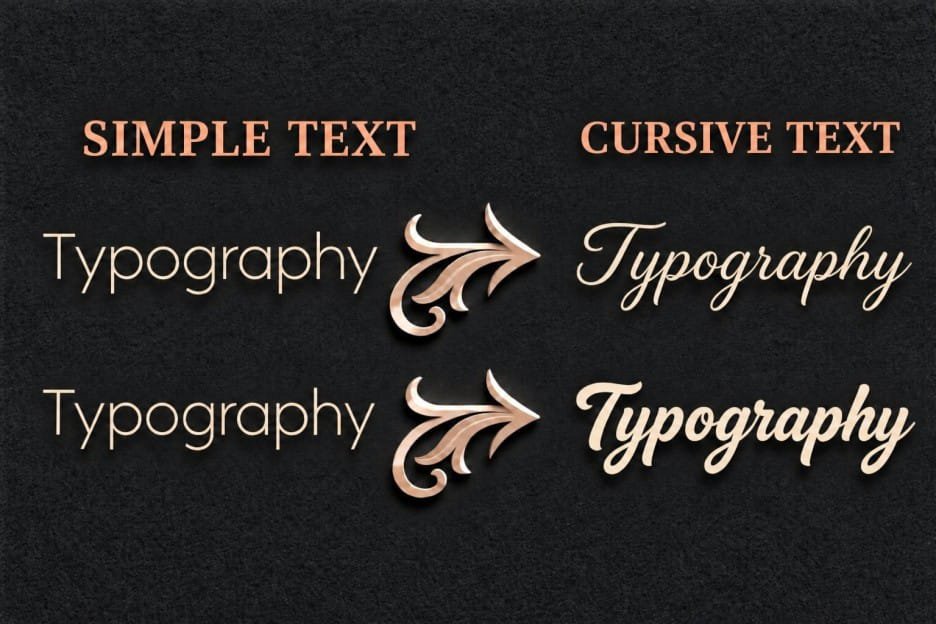
A cursive font generator is a simple online tool that turns plain text into elegant script. Type or paste your words, and it converts them into cursive text in one click. You can create stylish cursive letters without downloading anything or learning design. Copy the result and paste it wherever you like.
Cursive fonts are styles that copy flowing handwriting. Their letters connect in smooth, continuous strokes, like a signature or a birthday card note. The style began as a way to write faster. Joining letters saves time because the pen never leaves the page. That smooth flow soon became cursive calligraphy, a style of its own. For centuries, schools taught it as an essential skill. Typing has since replaced most handwriting, but the charm of cursive has not faded. It simply moved online through a cursive writing generator, so you can add classic elegance to modern digital messages with Unicode cursive fonts.
How Unicode makes this possible
Our script font generator offers Unicode characters. Unicode is a universal standard that gives every character its own code, so text appears the same on different devices. Its Mathematical Alphanumeric Symbols block includes styled letters like bold, italic, script, and fraktur, and some of them look like cursive. These are real characters, not fonts, so you can copy and paste them anywhere. Our cursive translator simply swaps each regular letter for its script match.
Be careful, though. Screen readers and search engines may not understand these symbols. Use them for decorative text like names and captions.
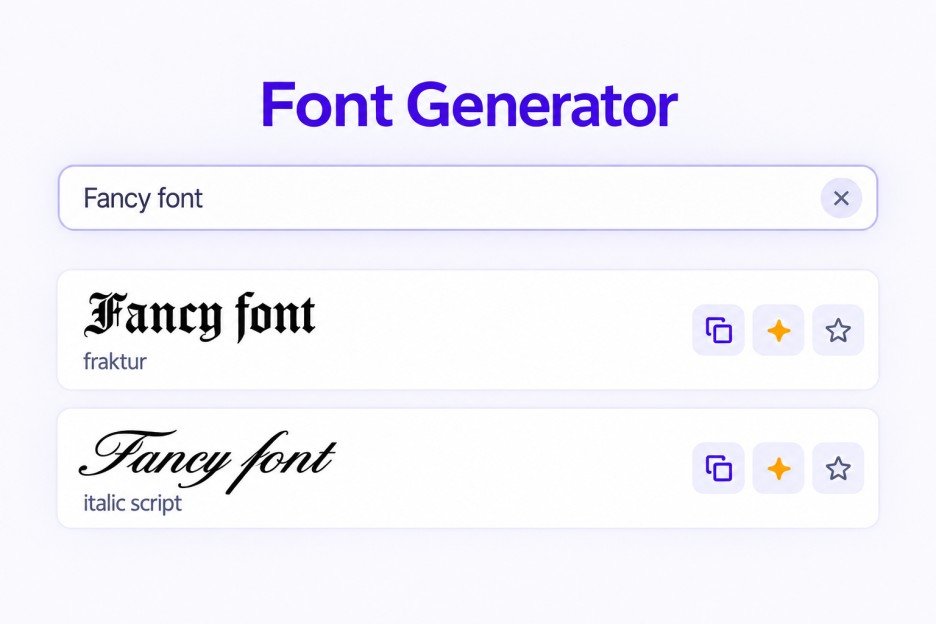
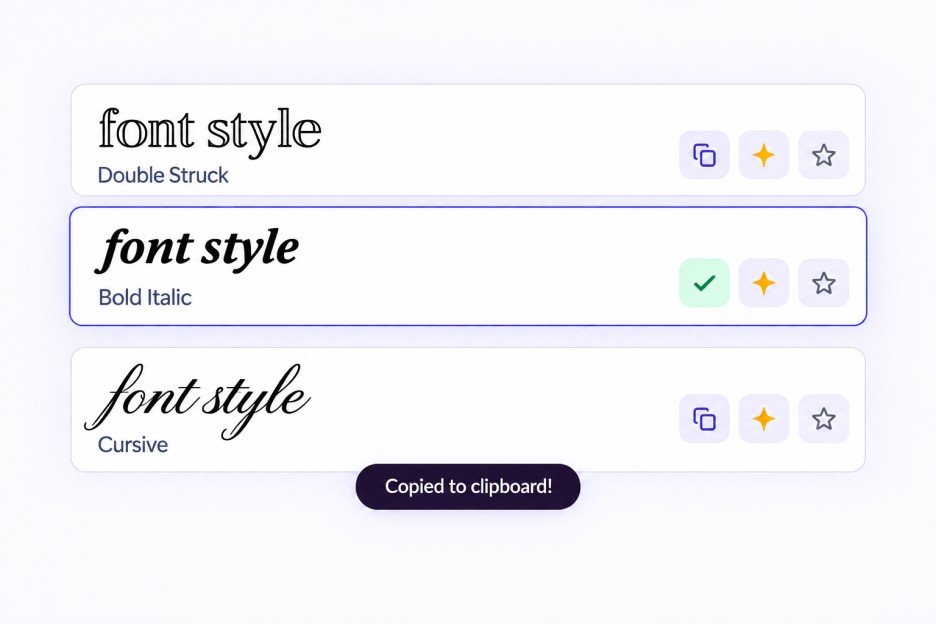
How to use this Cursive font generator

Unicode Fonts vs Font Files (TTF or OTF)
What Are They?
How Do They Differ?
| Feature | Unicode Fonts | Font Files |
|---|---|---|
| Ease of use | 𝗜𝗻𝘀𝘁𝗮𝗻𝘁. Type, copy, and paste. No download or setup required. | 𝗗𝗲𝗹𝗮𝘆𝗲𝗱. You need to download the file, install it, and sometimes restart your apps before you can use it. |
| Compatibility | 𝗛𝗶𝗴𝗵𝗹𝘆 𝗖𝗼𝗺𝗽𝗮𝘁𝗶𝗯𝗹𝗲. Works directly inside social media apps, web browsers and bio fields. | 𝗔𝗽𝗽-𝗿𝗲𝘀𝘁𝗿𝗶𝗰𝘁𝗲𝗱. Works only in editing apps, and the font must be installed to use it. |
| Storage | 𝗭𝗲𝗿𝗼 𝗶𝗺𝗽𝗮𝗰𝘁. Uses absolutely no disk space on your device. | 𝗩𝗮𝗿𝗶𝗲𝘀. It uses storage. Large font collections can take up gigabytes. |
| Sharing | 𝗦𝗲𝗮𝗺𝗹𝗲𝘀𝘀. Most modern phones and computers see your text exactly as intended without installing anything. | 𝗙𝗿𝗮𝗴𝗶𝗹𝗲. If the recipient doesn't have the exact file installed, your text resets to a default system font. |
| Variety / Styles | 𝗙𝗲𝘄𝗲𝗿 𝘀𝘁𝘆𝗹𝗲𝘀. You can use only the styles that Unicode includes. | 𝗠𝗼𝗿𝗲 𝘀𝘁𝘆𝗹𝗲𝘀. Thousands of fonts exist, and new ones appear all the time. |
Conclusion
You can use Font Files (TTF/OTF) if you are a professional designer. They work best for building logos, editing video thumbnails, or formatting print layouts inside creative apps.
Unicode fonts are the best choice if you just want to stand out online, customize your social media bios, write captions or send styled chat messages. They give you instant style with zero downloads, zero storage impact, and perfect compatibility across modern devices.
Where to use Cursive fonts
Script fonts add style and a personal touch to many kinds of text. Here are the best places to use different cursive font types:
(1)- Social Media Profiles & Bios
Social media apps are mostly viewed on small screens, so your fancy cursive must stay clear. Simple styles from our cursive generator stay easy to read on mobile. Use cursive for:
- Instagram bio: Your bio is small but gets seen first. Using cursive for Instagram makes your bio memorable and shows you care about details. Add emoji and line breaks to build a look that matches your page. Same styles work for your WhatsApp bio and name too.
- TikTok name: A cursive profile name stands out in comments, searches, and video feeds. Keep it short so people can read it fast.
- Captions: Style one word or phrase to give it emphasis. Too much cursive tires the eye, so use it sparingly.
- Story overlays: Cursive text on photos and videos feels personal and friendly. Pick a clear style so viewers can read it in seconds.
(2)- Names & Signatures
Your name deserves beautiful styling. Cursive turns plain text into a personal signature. Use elegant cursive fonts for:
- Usernames: Make your display name stand out in comments and search results.
- Email signatures: Paste your name in cursive at the bottom of emails. It looks hand-signed.
- Digital signatures: Sign documents, contracts, and forms. A cursive name feels more official than plain text.
- Name tags: Cursive tags at events and conferences look more professional than plain print.
Match the style to your name length. Short names can handle decorative cursive. Long names need simpler styles so people can read them.
(3)- Logos & Branding
Your brand name needs a cursive style that feels unique and stays easy to read. The logo appears on business cards, websites, products, and packaging, so it must stay clear at any size. Bold cursive font works best because it stays visible and still looks elegant. Use it for:
- Restaurant logos: Cursive suggests warm, homemade food. Bold strokes keep the name easy to read on signs and menus.
- Beauty packaging: Flowing letters suit skincare, makeup, and perfume. Beautiful cursive fonts signal softness and luxury, and they stay readable on small bottles and boxes.
- Fashion labels: A cursive label adds style and prestige. It also looks great on tags, bags, and shopping bags.
- Artisan branding: Handmade products need a handmade look. Cursive shows craft and care, which helps buyers trust your work.
(4)- Wedding Invitations & Personal Cards
Weddings call for elegance, and cursive delivers it right away. It adds formality and romance to every piece. Use it for:
- Wedding invitations: Cursive sets the tone for your event before guests arrive. Use pretty cursive fonts for names, dates, and key details.
- Thank-you notes: A cursive heading makes your thanks feel warm and sincere. Guests notice the extra effort.
- Greeting cards: Birthday, holiday, and anniversary cards look more heartfelt with a handwritten feel. Use cursive for the main message.
- Personalized gifts: Cursive looks lovely on engravings, embroidery, and custom items. A name or short phrase turns a simple gift into a keepsake.
Cursive also saves money. The look is nearly identical to custom calligraphy, but the cost is much lower.
(5)- Business & Professional Documents
Cursive adds authority and a personal touch to professional work. The handwritten feel shows personal attention. Use it for:
- Business cards: A cursive name feels classic and confident. Choose bold script so the text stays easy to read on a small card.
- Certificates: Cursive adds dignity to awards and course completions. Use it for the recipient’s name and the title.
- Proposals: A cursive name or signature line makes your proposal feel personal. Clients see that real people stand behind the offer.
- Announcements: Use cursive for headlines on news, launches, and events. It makes the message feel polished and important.
Keep the style simple and classic. Formal work looks best with less decoration and more elegance.
(6)- Restaurant Menus & Signage
Food businesses gain a lot from cursive. The handwritten feel suggests homemade, artisan food made with care. Coffee shops, bakeries, and farm-to-table restaurants all use it well. Use it for:
- Restaurant menus: Use elegant script for section headers, such as Starters, Mains, and Desserts. It guides the eye and keeps the menu easy to scan. Use a plain font for dish names and prices.
- Specials boards: Cursive makes daily specials feel fresh and personal. It looks more welcoming than printed text and draws guests’ attention.
The right font supports the whole dining experience. Small details matter in hospitality.